
How it works
A speaker, a set of motion sensors and a battery, inside a ball, running a game that happens in your living room instead of on a display.
Setting up
Four steps, once
-
Charge it and turn it on
A USB cable comes in the box. Hold the ON button — not the side button — until it wakes up and starts looking for a phone.
-
Pair it once, in the app
The free app finds the ball over Bluetooth and connects to it. This takes about a minute and it happens once; after that the two find each other on their own.
-
Pick a storyball
Each character is its own world of stories, quests and mini games. Choose one, and the app sends it down to the ball.
-
Put the phone down
Press play and the ball takes over: it tells the story out loud, gives the instructions, keeps the score and says who won. Nothing needs to be looked at.
The loop
Say something, wait for a movement, answer it
Every game in every storyball is the same three beats repeated. It is simple enough that a four-year-old learns it without being taught, and general enough to build a twelve-level quest on.
-
It says something
Out loud, through its own speaker. A line of the story, or an instruction: run, freeze, shake it, pass it on, find something red.
-
You do something
The sensors report motion many times a second, and the software matches the shape of that movement against the ones it knows. What the game receives is a word — thrown, caught, shaken, spun, twisted, tapped — not a stream of numbers.
-
It answers
Sound, light and vibration, in whatever combination the game calls for. Red and orange for fire ahead, a buzz for being caught, white for a clean throw. The colours carry meaning inside each game, and children learn them quickly.
The movements
Over 100 of them, and these are the ones that matter
- Throw and catch It knows it left your hand, and it knows whether it landed in one.
- Shake How hard, and for how long. Half the games are built on this one.
- Spin On the floor or in the air, and it counts the turns.
- Tap and twist The quiet answers — for a yes, a no, or a choice between two.
If the gestures do not seem to register: turn the ball on, switch the phone's Bluetooth off entirely, and throw the ball in the air. It should flash white. There is a gesture tutorial in the app's settings, which is also the quickest way to show a child what the ball is waiting for.
What you play
A quest to work through, and mini games for ten minutes
Every storyball has both, because the two jobs are different: one is for a wet Sunday and the other is for the gap before dinner.
The quest
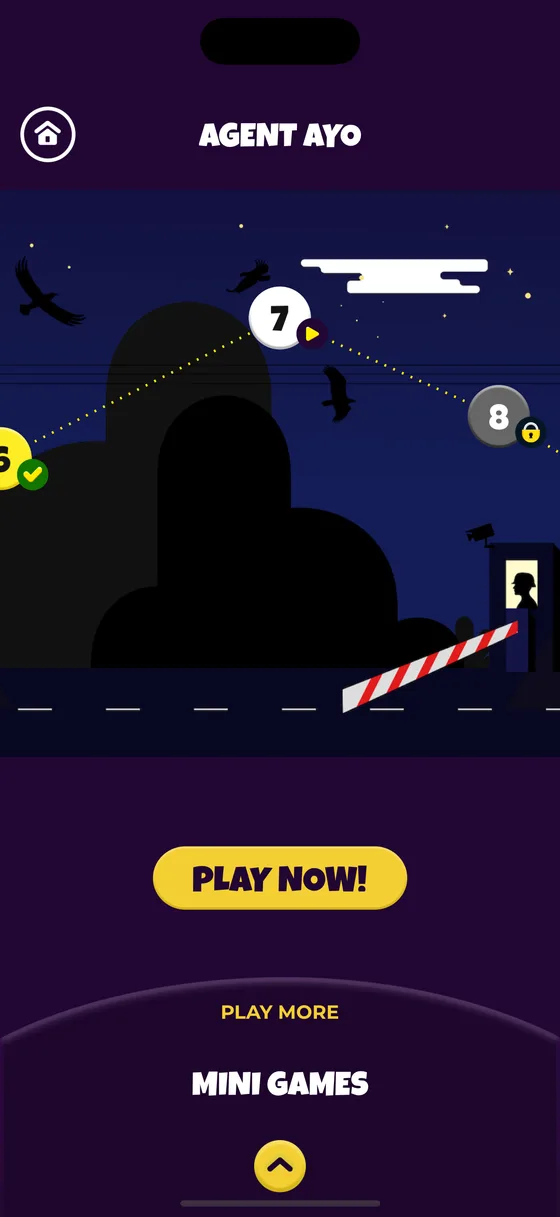
A map with levels along it, unlocked in order. Each level is a chapter of the character's story with something to do in the middle of it, and it takes long enough that finishing one feels like finishing something.
Progress is kept per child, so an older sibling being on level seven does not put a younger one back to the start.
The mini games
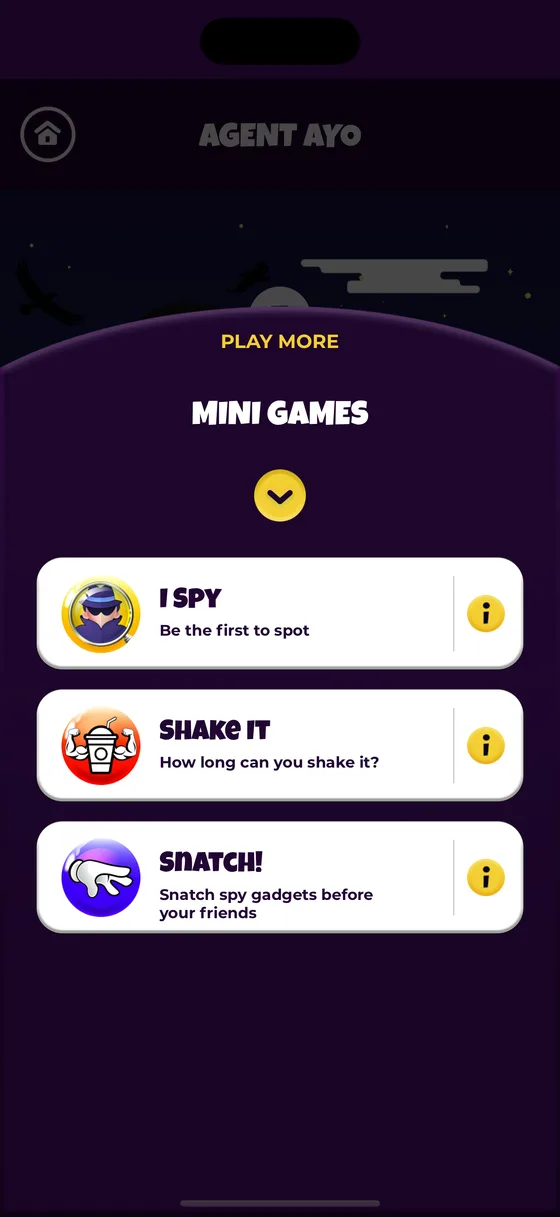
Short rounds with one-sentence rules. Freeze when the music stops. Shake until it says stop. Pass it round the circle. Be the first to spot the thing it named.
These work well with a group, because the ball keeps the score and calls the result. No adult has to referee, and no child has to be trusted to.
The hardware
What is actually inside
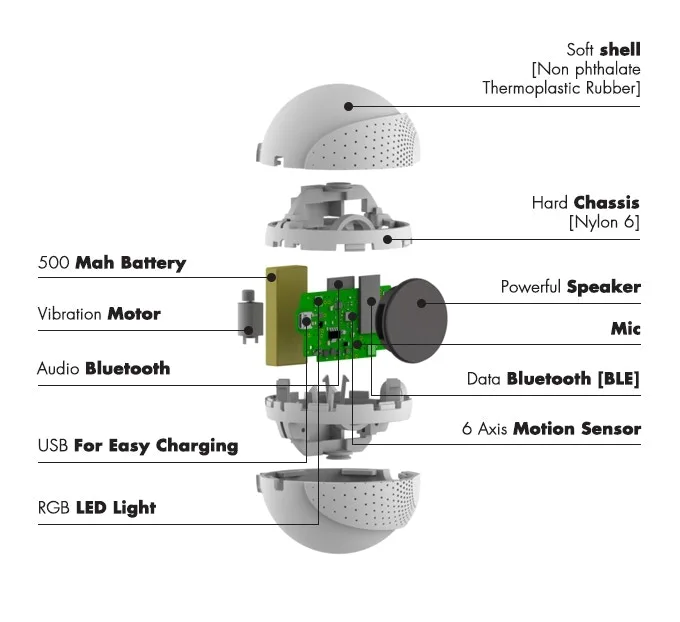
- Soft shell
- Non-phthalate thermoplastic rubber — the part that gets thrown at a wall.
- Hard chassis
- Nylon 6, carrying everything below inside it.
- 6-axis motion sensor
- What turns a throw, a shake or a spin into something a game can act on.
- Speaker and microphone
- Loud enough to run a game across a room, and able to hear one back.
- Vibration motor
- For the things you should feel rather than hear.
- RGB LED
- Colour used as a signal: red and orange for fire ahead, white for a clean throw.
- Two Bluetooth radios
- One carries the audio, one carries the game data. That is why the ball appears twice in a phone's Bluetooth list.
- 500 mAh battery
- Rechargeable over USB with the cable from the box.
Bluetooth holds about 30 feet with a clear line of sight. The character skins go over the top of all this and are the part you swap — under every one of them is the same console.
Pair yours in about a minute
The app is free, it needs no account, and it is the only setting up there is.
Free. No account, no in-app purchases, nothing collected about your child.